You can join CraftersMC on Minecraft: Bedrock Edition. We'll show you how!
If that doesn't work for you, you can add the server manually by following these steps:
This method may not work on consoles (PlayStation, Xbox, Nintendo Switch...). You can use the second method on these devices.
After logging into the server, you will be asked to configure some options and choose a language.
After completing this process, you are ready to play. So, what are you waiting for? Dive in!
1. Get Minecraft on your device
Download Minecraft: Bedrock Edition for your device:2. Log in to your Xbox account
When you start the game for the first time, the login screen will automatically appear. You need to sign in to your Xbox account, or create one if you don't have one. Click to get more info about Xbox accounts.3. Add CraftersMC to your server list
There are two different ways to add the server to your list. The first method may not work on some devices, you can use the second method in that case.3.1. Add the IP address to your server list
You can directly add CraftersMC to your server list by visiting https://connect.craftersmc.net/ from any internet browser on the device you will play the game on.If that doesn't work for you, you can add the server manually by following these steps:
- Click on Play on the main menu
- Navigate to the Servers tab
- Click on Add Server
- Enter these information:
- Server Name: [You can type what you want]
- Server Address: play.craftersmc.net
- Port: 19132
This method may not work on consoles (PlayStation, Xbox, Nintendo Switch...). You can use the second method on these devices.
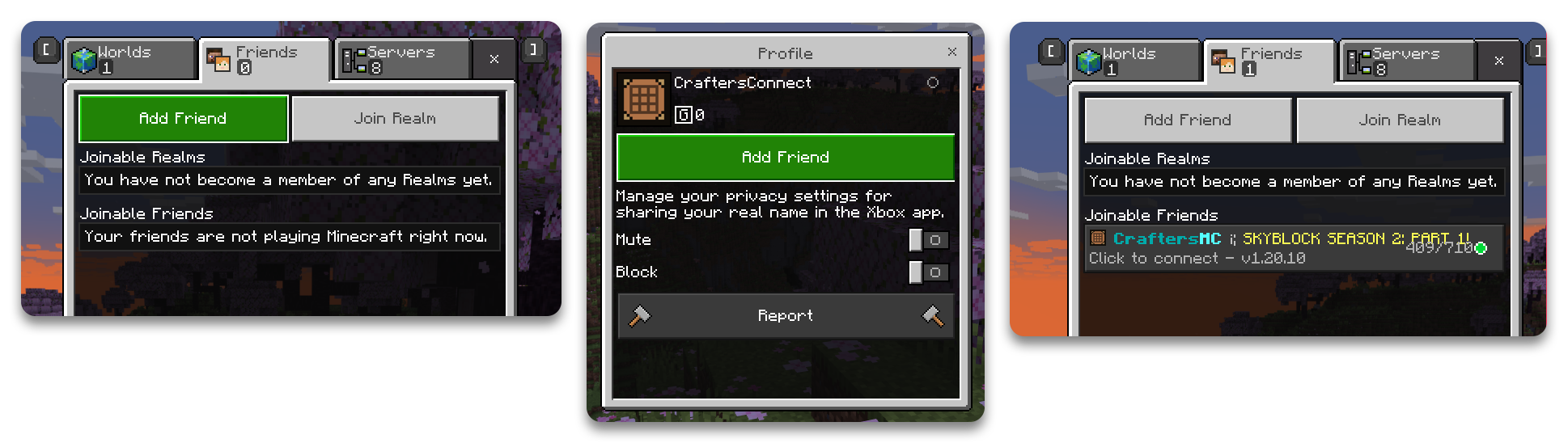
3.2. Add CraftersConnect as a friend on Xbox
Add the account CraftersConnect as a friend from the Play -> Friends tab. After that, you'll be able to quickly join the server from the Friends tab.After logging into the server, you will be asked to configure some options and choose a language.
After completing this process, you are ready to play. So, what are you waiting for? Dive in!